The project
Use a sequence containing dialogue, a music bed, and optional location ambience. Keep these elements on distinguishable tracks. The goal is intelligibility and continuity, with enough room for the soundtrack to breathe.
1. Balance the dialogue clips
Listen to the entire spoken sequence. Adjust individual clip gain where recordings differ, then listen across each edit. Use short fades where appropriate to avoid abrupt edges without losing the start of a word.
Check whether noise or distortion is already present in the original recording. A track fader does not repair damaged audio.
2. Organize shared processing
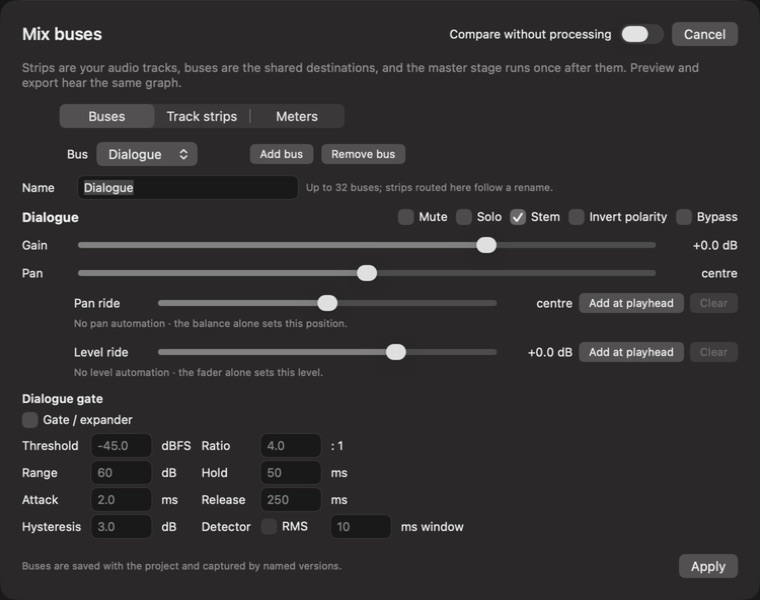
Open Audio and inspect the track mix. Use Mix buses to group related signals and review their routing. Apply EQ or dynamics only when they solve a specific problem. Compare processing at a similar perceived level.
3. Add the music and atmosphere
Start the music low and raise it only until it supports the mood. Check quiet speech and sentence endings. Review ducking across phrases so the music does not surge distractingly between words.
Use ambience to bridge recording changes where it belongs in the scene. Avoid hiding dialogue beneath a bed that sounds attractive on its own.
4. Measure after balancing
With intended tracks active and Solo cleared, measure the sequence loudness. Use the receiving destination’s specification when supplied. Adjust overall level and limiting deliberately, then listen again for pumping or lost impact.
Review your result
Export a short file with the audio mix included and audition it independently. Check the opening, the quietest phrase, the strongest musical moment, and the ending. Run a fresh measurement after any significant mix change.