Select the picture you intend to change
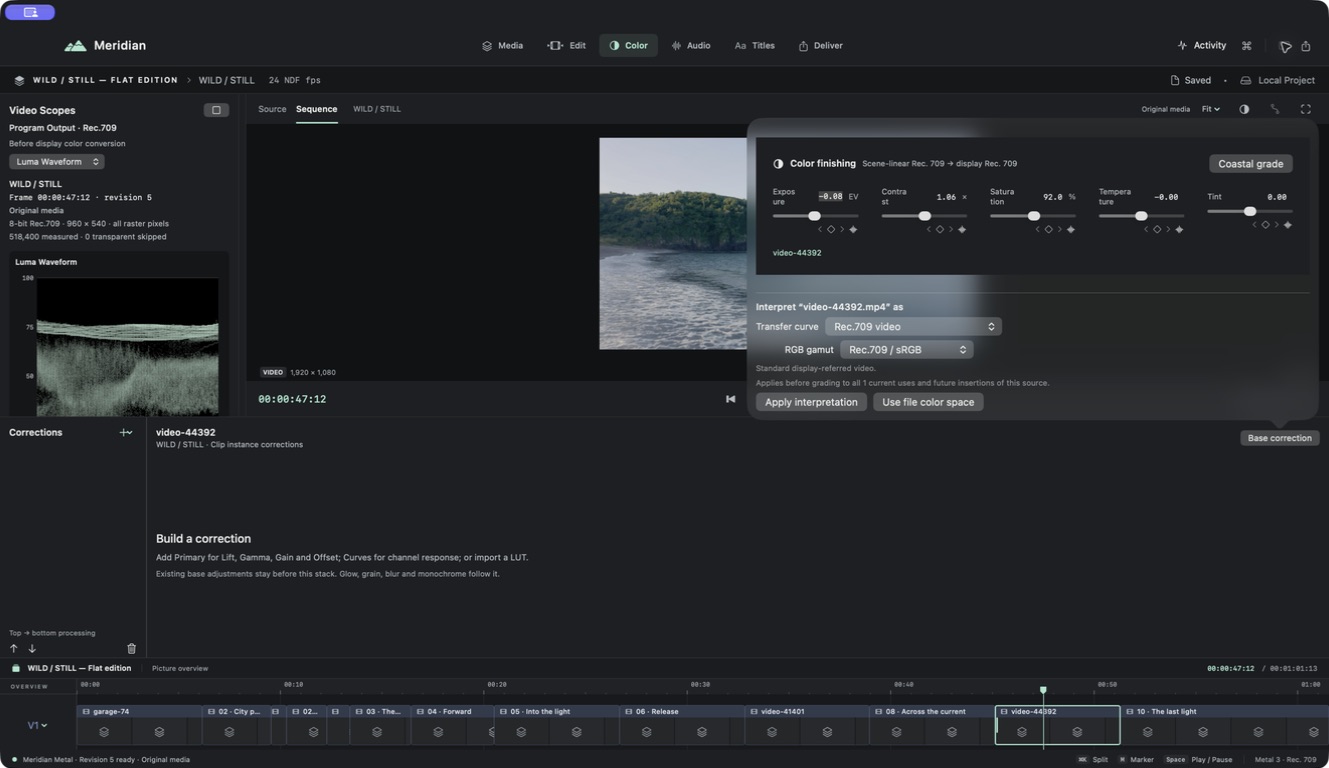
Open Color and select a picture clip. The workspace combines the program viewer, scopes, correction controls, and a picture overview. The displayed sequence image may include other layers, so know which clip is selected.
Balance before styling
Check source interpretation first. Then correct exposure, contrast, and color balance before adding an expressive look. Compare neighboring shots to avoid making every shot attractive individually but inconsistent as a sequence.
Corrections are processed in order. Primary adjustments, curves, and LUTs can affect what later operations receive. A creative LUT is not a substitute for correctly interpreting the input footage.
Judge the sequence in motion
Use scopes alongside your eyes, and review changes at normal viewing size. Check highlights, shadow detail, skin tones when present, and continuity across cuts. Reduce an effect’s mix if it overwhelms the image.
The current delivery pipeline is SDR Rec. 709 with 8-bit compositor surfaces. Do not treat an HDR or camera-log source label as a promise of an HDR mastering workflow.